How to Delete a Name from the Voter List using Form 7
Keeping the electoral roll clean is a duty of every citizen. If a family member has passed away, or if someone has permanently shifted away from your village, their name must be removed from the local voter list so no one can misuse their vote.
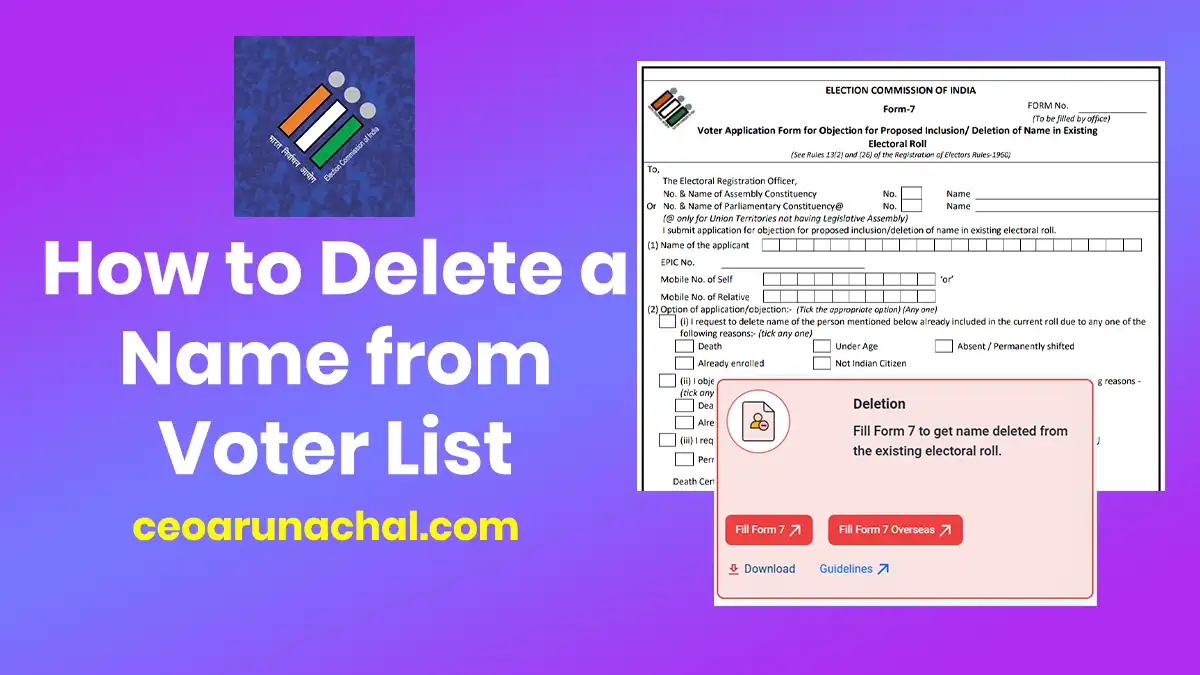
To delete any existing name from the Arunachal Pradesh electoral roll, you must use Form 7. You can submit this objection online from your home. Let's know how to do it.
When Should You Use Form 7?
You cannot just delete anyone's name randomly. The Election Commission accepts Form 7 only for specific, valid reasons. Look at the table below:
| Valid Reason | When to use this option |
|---|---|
| Death | A registered voter in your family or area has sadly passed away. You should attach their Death Certificate. |
| Permanently Shifted | The person has permanently sold their house and moved to another state or country. |
| Underage Voter | You found out that a person on the list is actually below 18 years old and registered illegally. |
| Duplicate Entry | You found that your name (or someone else's) is printed twice on the same polling booth list. |
Step-by-Step Guide to Submit Form 7 Online
Keep the EPIC number of the person you want to delete ready. Follow the below detailed steps to submit your objection:
Step 1. Visit the ECI Portal: First of all, open your internet browser on your mobile or PC and go to the official website: https://voters.eci.gov.in/.
Step 2. Login to your Account: You must login to the portal using your registered mobile number and password. An OTP will be sent to verify it is really you.
Step 3. Click on Form 7: On the main dashboard, look carefully and click on the option that says 'Form 7 (Objection for Proposed Inclusion/Deletion of Name)'.
Step 4. Enter the Target EPIC: The system will ask you for the Voter ID (EPIC) number of the person whose name needs to be deleted. Type it carefully and click search.
Step 5. Select the Reason: From the dropdown menu, select the exact reason why you are deleting the name (Death, Shifted, etc.). If they passed away, upload a scanned copy of the Death Certificate.
Step 6. Submit Application: Review all the details and press Submit. You will receive a Reference Number on your phone. The local BLO will then verify the application before permanently deleting the name.